Getting the video you need should be simple.
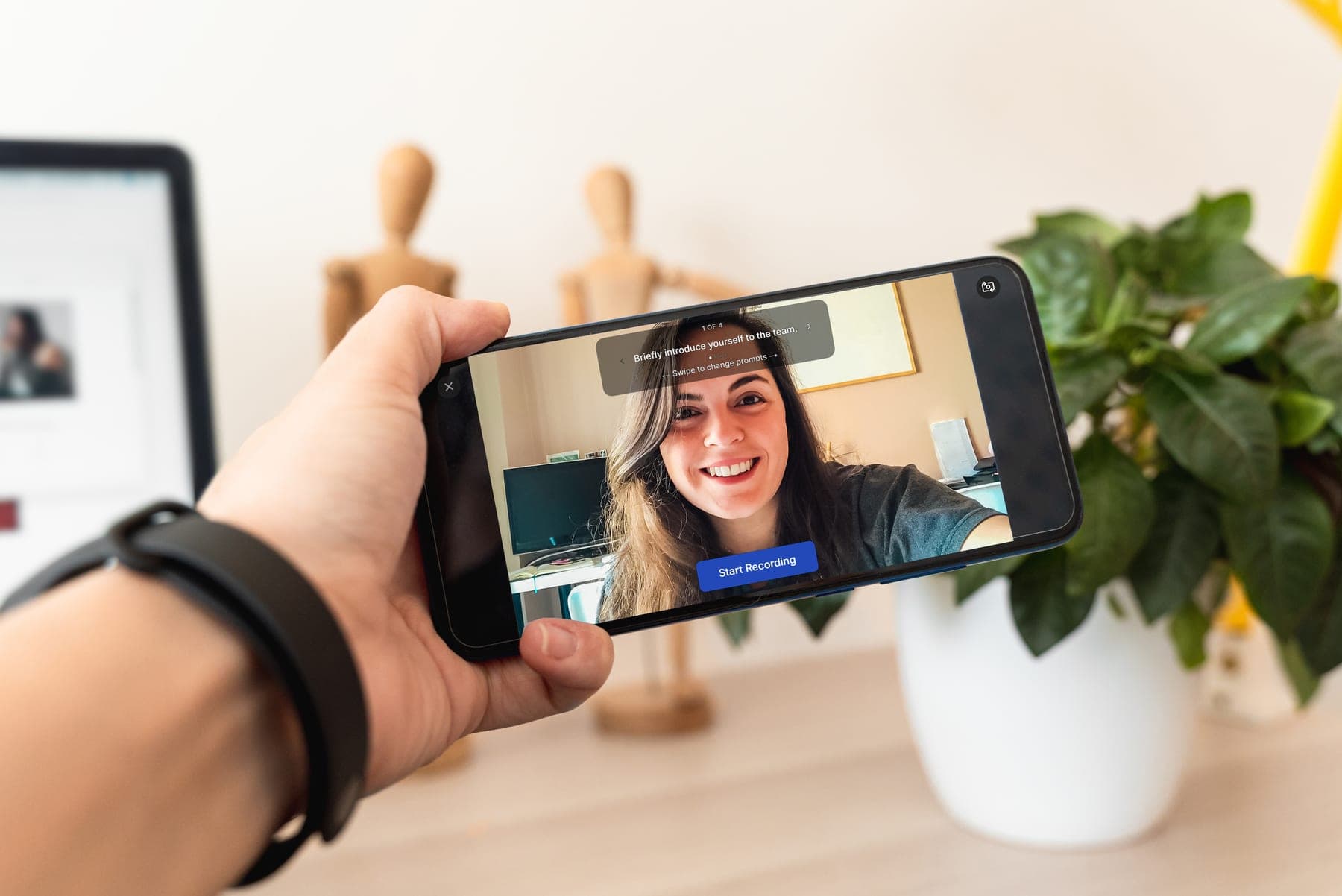
QuikTake helps you request video from anyone with a phone or webcam. Send a link with what you need, they record or upload, and the video comes back to you in one place. Simple for them. Organized for you.
14 days free · No credit card required
How It Works
Request. Record. Review. Release.
QuikTake is video request software for communications teams that need a simpler way to request, collect, and manage video from people remotely.
From a clear ask to video you can actually use.

Request
01Tell contributors exactly what video you need. Add instructions and guided prompts, choose recipients, and send one simple link.

Record
02Contributors open the link on a phone or computer and record right in the browser while following your prompts. No QuikTake account. No app.

Review
03Submissions come back connected to the correct Request and contributor. Get notified when video arrives instead of hunting through messages or folders.

Release
04Review submissions, request a retake when needed, download usable video, or create a shareable link from the same workflow.
Record in the browser
Phone or webcam, no app to install.
Guided video prompts
Contributors see what to say or shoot.
No contributor account
They open a link and start.
Record or upload
Capture live or send a file they already have.
Organized submissions
Every clip returns to the right Request.
Shareable links
Download an MP4 or share selected video.
Example Workflows
Where QuikTake fits
QuikTake fits the everyday moments when the story is happening somewhere else.
Athletic Communications
Collect athlete, coach, practice, and event clips without chasing people across campus.
Campus Marketing
Gather student, faculty, alumni, and event video wherever it happens.
Nonprofit & Community
Collect stories and program footage from staff, volunteers, and participants in the field.
Multi-location Communications
Get video updates from teams and locations you cannot visit yourself.
Social Media
Turn timely asks into usable clips while the moment is still fresh.
Internal Communications
Collect leadership updates, employee stories, and team messages without scheduling another shoot.
Built for lean teams
Be there without being everywhere.
Your team cannot cover every practice, event, campus, or location. QuikTake gives the people already there a clear way to capture what you need and send it back.

On camera
Interviews, reactions, testimonials and updates.
Behind the camera
B-roll, events, practices, facilities and moments happening in the field.
Already there
Coaches, students, staff and teammates can capture footage from wherever they already are.
Product Overview
From request to ready-to-use video
A few of the places QuikTake keeps the work together.

Good afternoon, Alex
3 Homecoming Week clips need review
Your Workspace at a Glance
Needs Review
3
Active Requests
4
Response Rate
72%
Submissions
18
Needs Attention
Homecoming Week Recap
3 videos waiting for review
Community Voices
1 waiting on another take
Active Requests
Homecoming Week Recap
11 of 16 submitted · 3 need review
Fall Recruiting Intros
14 of 18 submitted · All caught up
Stay on top of every request
See what is active, what needs review, and who has responded.
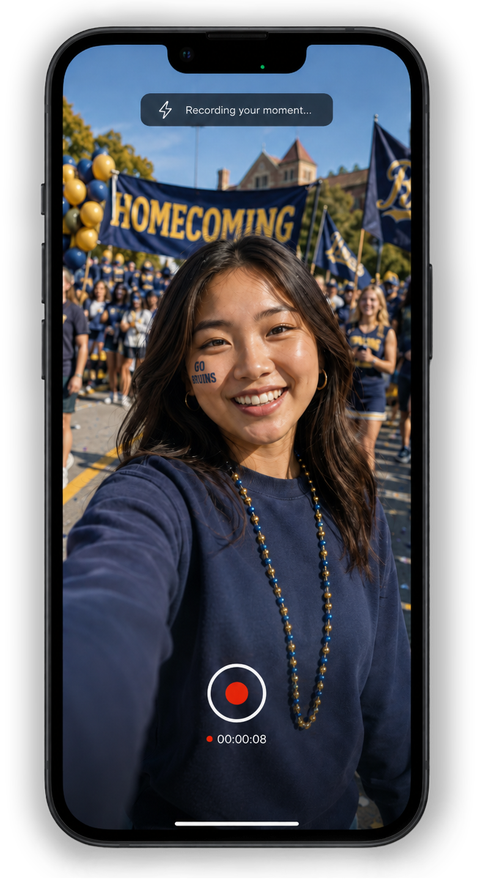
Record or upload from a link
Recipients follow the prompt, record on their phone, or upload a file they already have.
Homecoming Week Recap
Jordan Hale · Ready to review

Jordan Hale
Submitted 2 hours ago
Review, download, and share
Review each submission, download an MP4, share selected clips, or request another take.
Built-in direction
Give people more than a link.
Every QuikTake request can carry the context, prompt, and recording direction with it. The QuikStart Wizard turns an idea into a ready-to-send Request. Ready-to-use Templates give you a head start. Guided video prompts tell contributors what to say or shoot, and they can move through those prompts with on-screen controls, a swipe on a phone, or the arrow keys on a computer.

QuikStart Wizard
Guided setup that helps you decide what to ask for and how to structure the Request.
Ready-to-Use Templates
Start from useful request structures for common video needs, then customize.
Guided Video Prompts
Step-by-step direction during recording, with easy prompt navigation built in.
Why QuikTake
Still piecing together your video workflow?
Your video workflow shouldn't need a workflow. Replace the patchwork with one simple workflow.
The patchwork way
request → text → email → instructions → recording → upload → folder → reminder → mystery file → share
Perfectly useful tools, never designed together as a video-request workflow.
QuikTake
Request → Record → Review → Release
One purpose-built path from the ask to video you can use.
There's a Quiker way.
The request starts in email or text and gets harder to track from there
One Request keeps the ask, recipients, and responses together
You have to remember who replied and who still owes you something
Recipient status shows who opened, submitted, and still needs follow-up
Clips show up in inboxes, texts, drives, and transfer links
Submissions land with the Request they belong to
You piece together progress from messages and memory
See what is active, what is waiting, and what is complete
People get a vague request and have to guess what you need
Prompts and recording direction travel with the request
Usable clips still need sorting, renaming, or format work
Download a ready-to-use MP4 when the clip is ready
You download, re-upload, and send another file link
Share selected videos with a shareable QuikTake link
FAQ
Common Questions
No. They open the direct link you send and record or upload from their browser.
No. QuikTake runs in a modern browser on a phone or computer.
Yes. Contributors can record from a phone or a computer webcam right in the browser.
Yes. They can record in QuikTake or upload a video they already have.
Yes. The person holding the phone can answer on camera or use the rear camera to capture B-roll, events, facilities, practices, or whatever you asked for.
QuikTake includes a 14-day Trial with no credit card. You can request video, collect submissions, review, download, and create shareable links.
Continued use after the Trial requires a QuikTake subscription. Your workspace remains available so you can pick up where you left off.
One plan: $59 per month, or $590 per year paid upfront (save $118/year). No extra tiers or per-seat pricing.
Create a shareable link for selected videos. Anyone with the link can view them while it remains valid. You can set an expiration or revoke the link when you are done.

Pricing
One plan. The whole workflow.
Start a 14-day Trial. No credit card. Subscribe when you are ready to keep requesting video.
QuikStart Wizard
Get from an idea to a well-structured video Request without starting from scratch. Guided setup helps you decide what to ask for and how to structure it.
Ready-to-Use Templates
Start with useful request structures for common video needs, then customize them for your project, audience, and goals.
Guided Video Prompts
Give contributors clear, step-by-step direction while they're recording so they know what to say and you get more useful responses back.
In-Browser Recording
Contributors can record from a phone or webcam right in their browser, without creating a QuikTake account or installing an app first.
Organized Video Collection
Submissions automatically return to the correct Request and contributor, preserving context instead of leaving you to sort mystery files and disconnected attachments.
Review, Retakes & Sharing
Review submissions, request another take when something needs attention, download usable video, and create shareable links from the same workflow.
Easy Prompt Navigation
Contributors can move through prompts without breaking their recording flow, using on-screen controls, a swipe on a phone, or the arrow keys on a computer.
Record or Upload
Capture something on the spot, or submit video already recorded, through the same submission experience.
Submission Notifications
Know as responses arrive so a project can keep moving without repeatedly checking folders or manually tracking who has submitted.
Ready-to-Use MP4 Downloads
Move collected video into editing, publishing, or archiving without extra handoff friction.
Shareable Links
Share selected video through a link. Set an expiration or revoke the link when you are done.
Keep the Request, instructions, contributors, submissions, review, retakes, downloads, and sharing together instead of stitching the process across messages, folders, and separate tools.